 CHANGHORN
CHANGHORN
CHANGHORN
Choosing a PanelView HMI touch screen is not simply a matter of selecting the largest display or newest model. The right choice must fit the machine, operator, control system, and working environment. A food-processing line may require a sealed front surface and frequent cleaning. A dusty workshop may need stronger protection against particles. Gloved operators may need a responsive screen with practical button spacing. Small details matter.
Begin with real operating conditions. Check screen size, brightness, viewing angle, resolution, touch technology, communication ports, and mounting space. Confirm compatibility with the existing PLC, network architecture, and programming software. Manufacturer documentation should guide these checks, but site testing remains valuable. A specification sheet cannot reveal every glare problem or awkward hand movement. It is easy to overlook ergonomics.
Consider maintenance, too. Ask how quickly technicians can replace the unit, restore an application, or identify a network fault. Review temperature limits, ingress protection, vibration tolerance, power requirements, and product availability. In field evaluations, operators often expose weaknesses that engineering reviews miss. Their feedback can reveal whether alarms are readable, menus are logical, and touch targets work during busy production.
No checklist is perfect. A lower-cost PanelView HMI touch screen may appear attractive, yet create higher costs through downtime or difficult support. An advanced model may offer useful capacity but exceed the actual application’s needs. Compare verified specifications with hands-on trials, installation constraints, and long-term service plans. The best decision balances safety, usability, reliability, and total ownership cost—not impressive features alone.
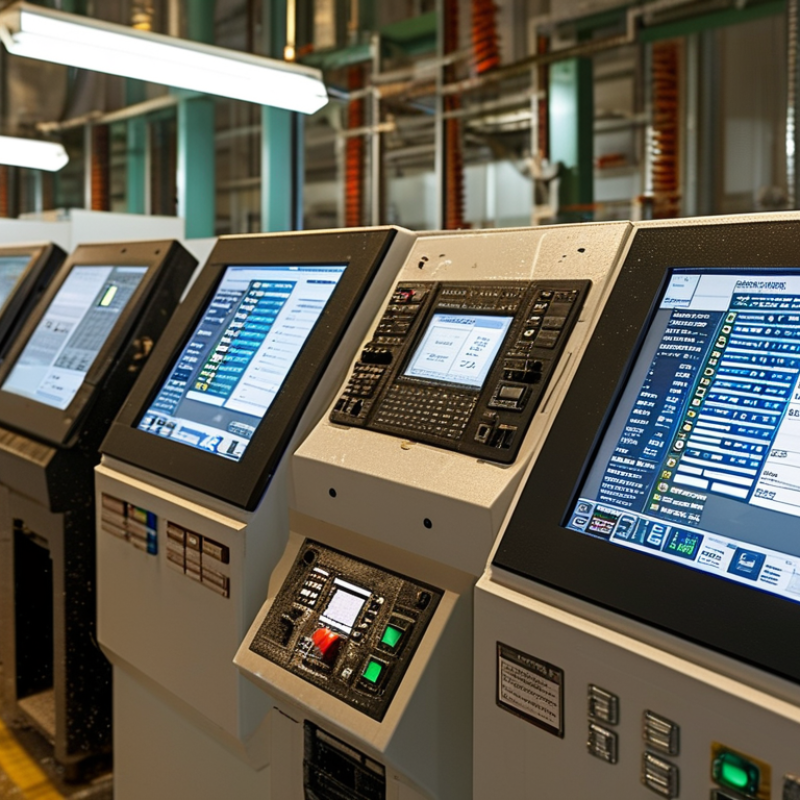
Choosing a PanelView HMI touch screen starts with defining its role in the control system. Is it a primary operator station, a local backup, or a simple status display? This decision affects screen size, alarm access, network design, and enclosure selection. In a packaging cell I supported, operators needed live speed, fault history, and manual jog controls within arm’s reach. A larger screen was less useful than clear priorities. Keep the workflow visible.
Map each task to a screen before comparing specifications. Operators should acknowledge alarms without leaving the process view. Maintenance staff may need deeper diagnostics, trends, and I/O status. Supervisors might only require production counts and downtime data. Separate these needs, but do not hide critical information behind excessive menus. Touch targets should work with gloves and light pressure. Test them with wet fingers, too. Real conditions expose weak assumptions.
Reliability depends on more than resolution. Check temperature range, ingress protection, viewing angle, response time, and replacement procedures. Confirm that the HMI can communicate with controllers, drives, and safety-related interfaces as required by the system design. Restrict changes through user permissions and record configuration revisions. I have learned that attractive graphics cannot rescue poor alarm logic. Sometimes, a modest interface performs better. Review the design with operators during a realistic shift, then revise it; the first layout is rarely perfect.
Define its purpose before comparing specifications. It may control operations, provide backup, or display status only. Keep the workflow visible.
Operators usually need live speed, active alarms, fault history, and manual controls. Important actions should stay near the process view.
Operators need simple controls. Maintenance staff need diagnostics, trends, and I/O status. Supervisors may need production counts and downtime data.
Test it with actual work gloves and damp fingers. Light pressure should trigger clear touch targets. Real conditions often expose weak assumptions.
Check heat, dust, vibration, moisture, sunlight, and cleaning chemicals. A sealed cabinet can still trap internal heat. That detail is easy to miss.
No. An IP rating addresses solids and water exposure. It does not guarantee chemical or impact resistance. Check seals and approved cleaners.
Measure cutout dimensions, panel thickness, viewing distance, cable clearance, and mounting angle. Leave ventilation space around the unit.
Use readable text, clear alarm colors, and simple navigation. Emergency controls should remain physically separate. Attractive graphics cannot fix poor alarm logic.
Check manuals, wiring diagrams, firmware records, replacement procedures, and technical assistance. Poor documentation can turn a simple communication fault into hours of delay.
Include software, mounting changes, training, spare units, engineering, and installation downtime. A cheaper panel may cost more later. I have underestimated this before.
Reserve communication ports, memory, protocol flexibility, and enclosure space. Production plans change. My own capacity estimates have occasionally been too small.
Choosing the right PanelView HMI touch screen begins with understanding its role in your control system. Determine whether it will support basic machine operation, monitor complex processes, display production data, or manage multiple control functions. Select a display size that matches the operator’s tasks: compact screens may suit simple equipment, while larger displays improve visibility when users need to view trends, alarms, or several controls at once. Also consider the installation location, available panel space, viewing distance, lighting, temperature, moisture, dust, vibration, and the required level of screen durability.
Before making a decision, confirm that the HMI is compatible with your controllers, networks, communication protocols, and programming software. Review the interface design, alarm management, data handling, and user-access features to ensure efficient operation. Safety functions, technical support, replacement availability, total cost, and future expansion should also influence the selection. A well-chosen PanelView HMI touch screen can improve usability, reduce downtime, simplify maintenance, and provide a flexible foundation for future control system upgrades.
