
CHANGHORN CHANGHORN

Why Do You Need a Motion Control Card?

Time:2026-10-29 Author:Sophia
0%

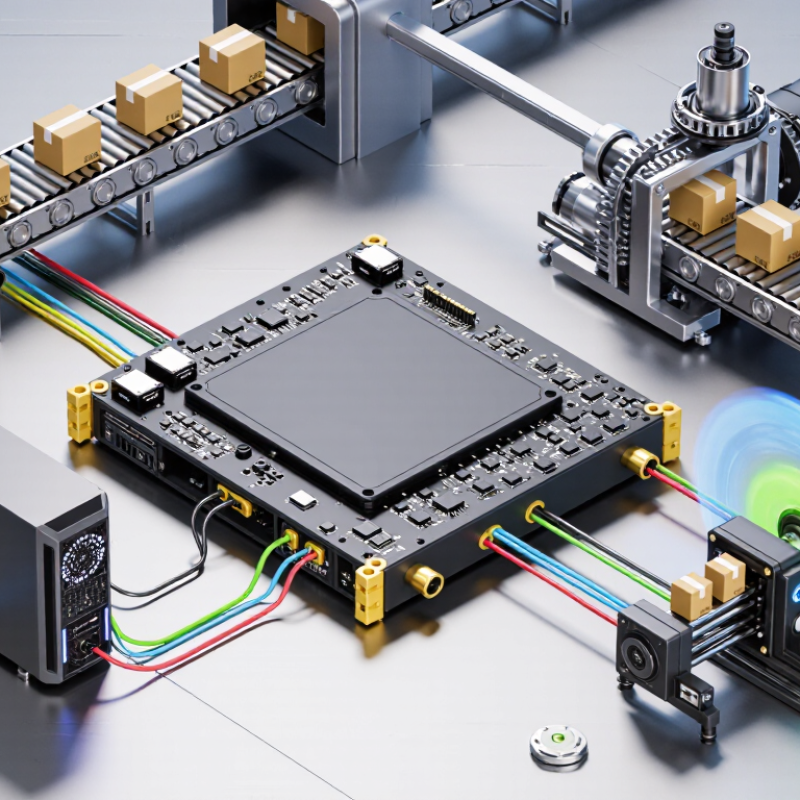
A motion-control card is the hardware link between a computer’s commands and a machine’s physical movement. It generates timed signals, coordinates axes, and helps motors follow a planned path. In a packaging line, for example, it can synchronize a conveyor with a cutter, keeping each cut aligned as the belt moves. Without that coordination, motion may become uneven, delayed, or difficult to repeat.

Motion-control specialist Peter Nachtwey is known for his work in industrial control systems. A useful paraphrase of the engineering principle behind his field—not a verbatim quotation—is: “Accurate motion depends on well-timed commands and a clear understanding of the machine.” That distinction matters. A card cannot correct every mechanical problem. Loose couplings, noisy feedback, or poor tuning can still spoil the result. Hardware is only part of the system.

So, why do you need a motion control card? It can provide dedicated timing, coordinated axis control, and reliable communication with drives and sensors. These features matter when a standard computer’s operating system cannot deliver commands consistently enough. The right card can make a machine’s movements more predictable and easier to monitor. Not automatically perfect. Engineers still need to check compatibility, tune the control loops, and test the machine under real operating conditions. A useful starting point is to examine the required axes, feedback devices, speed, and positioning accuracy before choosing a card.
Why Do You Need a Motion Control Card?

What Is a Motion Control Card?

What Is a Motion Control Card?

A motion control card is a hardware component that helps a computer command motors with precise timing. It translates programmed movement instructions into control signals that a motor drive can use. Rather than switching motor power directly, the card coordinates actions such as position, speed, and acceleration. For example, a machine may need two axes to move together while a tool follows a curved path. The card helps keep those movements synchronized. Small timing errors matter.

A typical setup connects the card to a computer, motor drives, and sometimes encoders or limit switches. The computer provides a motion plan; the card handles time-sensitive signal generation and may monitor feedback. Features vary by design, so check supported signal types, axis count, and feedback options before choosing one. A motion card does not automatically make a machine accurate: loose couplings, poor tuning, or incorrect wiring can still cause missed steps or uneven motion. It is easy to blame the card first. Measure the actual movement and inspect the rest of the system, too.

How Does a Motion Control Card Work?

A motion control card acts as the real-time link between a computer and moving machinery. The computer provides a target, such as moving a slide 120 millimeters or rotating a spindle at a set speed. The card converts that request into timed command signals for a motor drive. Depending on the system, these may be step-and-direction pulses, analog references, or digital network commands. Timing matters. If pulses arrive unevenly, an axis can vibrate, overshoot, or lose position. The card also coordinates acceleration and deceleration, helping the load move smoothly rather than jerk at each start.

In a closed-loop setup, an encoder reports the axis position back to the card. The card compares that feedback with the commanded position and adjusts its output when an error appears. For example, a packaging machine may need a belt to stop beneath a sensor within a narrow window. The machine controller handles the sequence; the motion card manages precise movement and fast input-output timing.

Not magic. A motion card cannot fix loose couplings, poor wiring, or incorrect tuning. Those details are easy to underestimate. Setup varies by card, drive, and machine, so engineers should check signal levels, update rates, and safety interlocks against the hardware documentation. Even a small mismatch can make a planned move behave badly.

Which Functions Does a Motion Control Card Provide?

A motion control card converts position commands into timed signals for servo drives or stepper systems. Depending on its design, it can coordinate multiple axes, calculate motion profiles, and synchronize movement with digital inputs and outputs. Encoder feedback lets the controller compare commanded and actual positions. Limit switches and fault signals can trigger a controlled stop. Not magic. The card issues commands; drives, motors, mechanics, and tuning all affect the final result.

The scale of automation makes coordination important. The International Federation of Robotics reported 4,281,585 industrial robots operating worldwide in 2023, with 541,302 installed that year in World Robotics 2024. A motion control card can help manage the coordinated movements behind automated cells, including repeatable positioning and timed sequences. It may also support interpolation, homing routines, and status monitoring, though features vary by model. A useful caution: axis count alone does not predict precision. Backlash, vibration, encoder resolution, and setup errors still matter. That detail is easy to overlook.

When Is a Motion Control Card Needed?

A motion control card is useful when a machine must coordinate several axes with precise timing. A stepper motor moving a camera slider may work with a simple controller. But if the slider, focus mechanism, and turntable must move together, timing becomes harder to manage. The card can generate synchronized motion commands and handle encoder feedback, limit switches, and emergency stop signals. Small timing errors matter.

You may need one when a computer cannot reliably produce pulse trains, or when a process needs repeatable speed and position control. Consider a pick-and-place machine: the arm must reach a location, pause briefly, and move again without drifting. A motion card can run these tasks predictably while leaving the computer free for interface or inspection work. Not every machine needs this. A basic single-axis setup may be simpler with a compact controller.

Check the required axes, motor interfaces, feedback devices, and control software before choosing a card. Also measure how quickly the system must respond; a fast machine may expose delays that were invisible during a slow test. The boundary is not always neat. It is easy to over-specify hardware, then discover the real problem was wiring or poor tuning. Test with the actual motors and load, not only on a bench.

Why Do You Need a Motion Control Card? - When Is a Motion Control Card Needed?

Application or Requirement Is a Motion Control Card Needed? Why It May Be Needed What to Check
One motor with simple start, stop, and speed commands Usually not A drive or controller with built-in positioning or speed functions may be sufficient for straightforward tasks. Confirm that the drive supports the required command source, speed range, and safety functions.
Accurate point-to-point positioning of one or more axes Often useful A motion control card can generate coordinated motion commands and manage position targets, profiles, and feedback. Check axis capacity, encoder compatibility, pulse or network interfaces, and required position accuracy.
Several axes must move in a coordinated sequence Often needed Dedicated motion hardware can provide synchronized command timing and coordinated sequencing for multiple axes. Verify supported interpolation modes, axis count, update rate, and communication support.
Electronic gearing or camming between axes Often needed These applications require one axis to follow another according to a defined ratio or motion profile. Confirm that the controller supports gearing or cam functions and the required synchronization performance.
High-speed indexing or repeated moves with tight timing Possibly A motion card may provide more deterministic command timing than general-purpose software alone. Assess the complete system, including controller cycle time, drive response, network latency, and feedback devices.
PLC already provides the required motion functions Not necessarily A separate card may be unnecessary when the PLC's built-in motion features meet the axis, timing, and coordination needs. Compare supported motion functions, expansion limits, software requirements, and total system cost.
Standalone servo or stepper drive handles the full task Not necessarily Some drives include positioning sequences, homing routines, and digital I/O control that can run without a separate card. Check whether the built-in functions cover the required motion profiles, sequence logic, and feedback handling.
Machine needs coordinated motion plus limit and home inputs Often useful A motion control system can combine axis commands with input signals used for homing, travel limits, and machine sequencing. Check input voltage and type, input response time, wiring requirements, and how limit events are handled.

Where Are Motion Control Cards Used?

Motion control cards are used wherever machines must move with repeatable timing and coordinated axes. They are commonly installed in CNC equipment, packaging lines, pick-and-place machines, and automated inspection systems. The card sends motion commands from an industrial computer to servo or stepper drives, while reading encoder feedback and sensor signals. In a CNC machine, several axes may need to follow a tool path without visible pauses. In packaging, a conveyor and cutting mechanism must stay synchronized as products pass. Timing matters.

Robotic work cells use motion cards to coordinate joints, grippers, and position sensors. Electronics manufacturing uses them to place small components accurately, while laboratories may use them to move sample stages or imaging platforms. The card is not always the right choice; some machines use dedicated controllers or drive-based motion functions instead. Check the required axis count, feedback type, command speed, and compatibility with the host computer before choosing one. Keep emergency stops and other safety functions on suitable safety-rated hardware, not on a general-purpose motion card alone. Real machines are messy. A neat wiring diagram rarely shows cable noise, worn couplings, or an encoder that needs recalibration.

FAQS

What is a motion control card?

It connects a computer’s movement plan to motor drives. It generates timed signals for position, speed, and acceleration.

How does a motion control card move an axis?

The computer sends a target, such as moving a slide 120 millimeters. The card turns that request into timed commands for the motor drive. Timing matters.

What types of signals can a card provide?

Depending on its design, it may send step-and-direction pulses, analog references, or digital network commands. Check compatibility with the drive.

Can a motion control card coordinate multiple axes?

Many cards coordinate several axes, helping them move together along a planned path. A curved tool path needs careful timing.

How does encoder feedback help?

An encoder reports actual position. The card can compare it with the commanded position and adjust output when an error appears.

Does a motion control card guarantee accurate movement?

No. Loose couplings, poor tuning, wiring errors, and vibration can still cause uneven motion or missed steps. It is tempting to blame the card first.

What other functions might a motion control card provide?

Features may include acceleration planning, interpolation, homing routines, limit-switch responses, and status monitoring. Not every card supports them.

What should engineers check before choosing or installing a card?

Check axis count, signal types, feedback options, update rates, and safety interlocks. Then inspect the actual movement; documentation alone may not reveal every setup problem.

Conclusion

A motion control card is a hardware component that helps a computer coordinate the movement of motors and other mechanical parts. It translates commands from control software into precise signals, while receiving feedback from sensors or encoders to monitor position, speed, and direction. By comparing the requested movement with the actual motion, the card can adjust output and support accurate, repeatable operation.

Depending on its design, a motion control card may provide functions such as multi-axis coordination, speed and position control, synchronized movement, and status monitoring. It is useful when a machine needs more precise or responsive motion than a basic controller can provide, especially when several moving parts must work together. Motion control cards are commonly used in automated production equipment, robotics, packaging systems, CNC machinery, and laboratory instruments, where consistent movement helps machines perform tasks efficiently and reliably.

Sophia

Sophia

Sophia is a dedicated marketing professional with an exceptional depth of knowledge about her company's products and services. With a keen understanding of market trends and customer needs, she crafts insightful blog posts that not only inform but also engage readers, enriching the company’s online......